Learn · Getting started · 4 min read
Your first day with AthletesLab
From a dinner idea to a clearer view of your day. Here is how Yuma, your meals and your progress connect.
You do not need to plan an entire week to get started. Choose one meal and work with what you already have. Imagine you are training this evening and have chicken, rice and broccoli in your kitchen.
01 · Yuma
Start with an idea
Tell Yuma what you have and what you need. Ingredients, available time and your preferences give the suggestion context. You do not need to write a perfect prompt.
I train this evening. What can I make with chicken, rice and broccoli in 20 minutes?
We can make a simple bowl. Use rice you have already cooked, pan-cook the chicken and steam the broccoli.
02 · Adjust
Make it yours
The first suggestion is a starting point. Ask to swap an ingredient, adjust the portion or simplify the preparation. For example: “I would prefer tofu instead of chicken.” Review the quantities and nutrition estimate for the version you choose.
03 · Fuel
Save it to Fuel
When the suggestion fits, review it and confirm that you want to save it. In Fuel you can see the meal, open its ingredients and review quantities. Saving a planned meal does not mean you have eaten it.
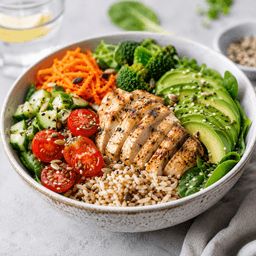
Dinner · 19:30 · Planned
Protein: 56 g · Carbs: 67 g · Fat: 17 g
04 · Progress
Log it and see your progress
When you eat, log the foods you actually had. If the portion changes or you leave an ingredient out, review the log so it reflects your meal. Then see how it contributes to your daily total.
Logged energy before dinner
650 kcal to reach the example goal
A partial day does not tell the whole story. Use progress as context, and compare complete days once you have finished logging your meals.
Start with your next meal.
One idea, one adjustment and one log. You do not need to do everything at once.
Get the App